
Built-in Modules trong Node.js: HTTP Server, URL và EventEmitter
Node.js có nhiều module tích hợp có thể dùng ngay mà không cần cài package. Trong số đó, node:http cung cấp HTTP server và client mức thấp, WHATWG URL xử lý địa chỉ web theo chuẩn trình duyệt, còn node:events cung cấp EventEmitter — nền tảng của kiến trúc hướng sự kiện trong hệ sinh thái Node.js.
Mục lục
1. Built-in module là gì?
Built-in module, còn gọi là core module, được đóng gói cùng Node.js. Ta chỉ cần import bằng tiền tố node:, ví dụ node:http, node:url và node:events. Tiền tố này làm rõ nguồn gốc module và tránh nhầm với package bên thứ ba trùng tên.
| Module | Vai trò chính |
|---|---|
node:http | Tạo HTTP server, gửi HTTP request và xử lý dữ liệu dạng stream. |
node:url | Phân tích, xây dựng và biến đổi URL theo WHATWG URL Standard. |
node:events | Phát sự kiện có tên và đăng ký listener bằng EventEmitter. |
2. Các đối tượng quan trọng của node:http
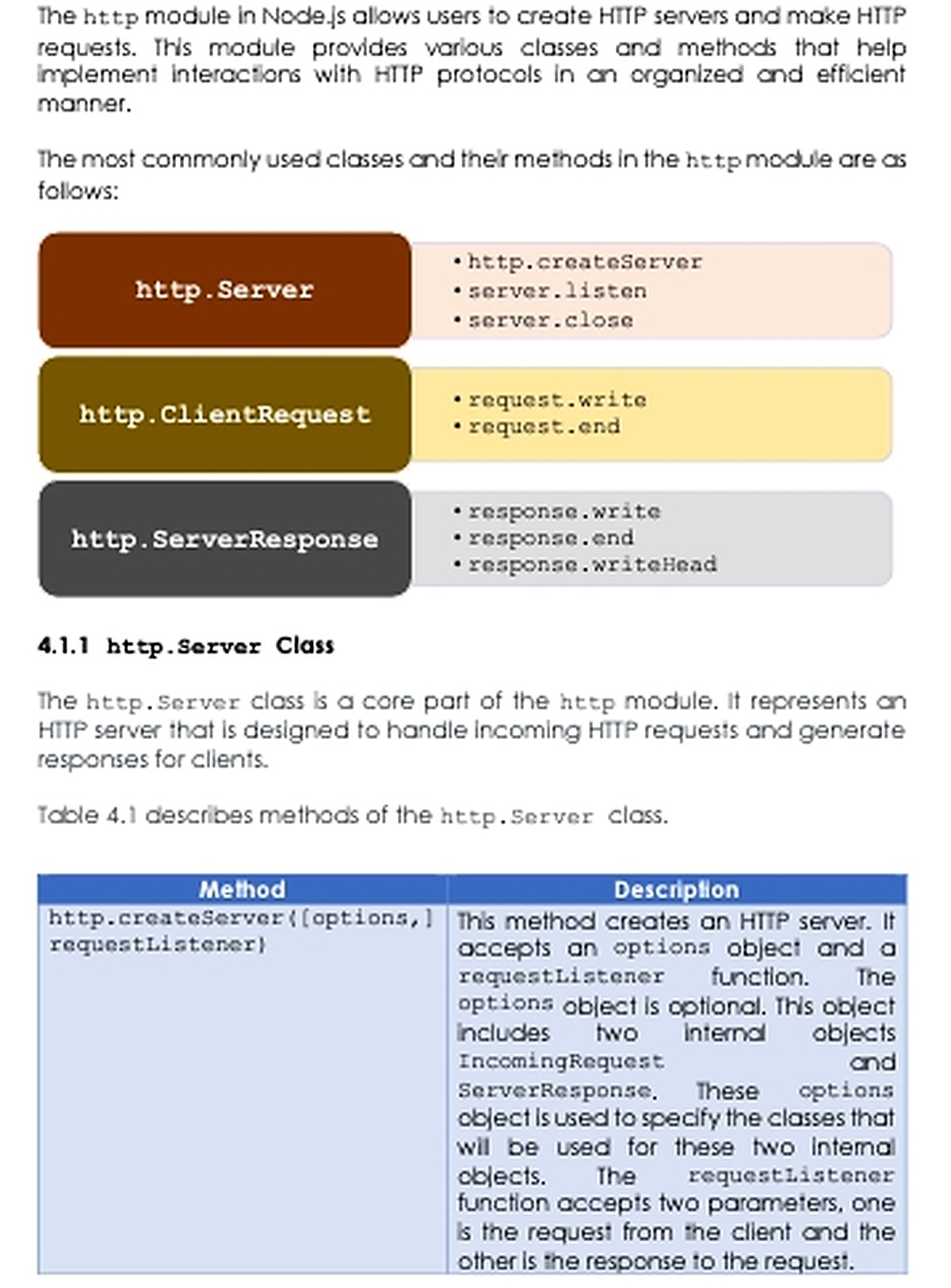
http.Server: lắng nghe kết nối và phát sự kiệnrequestcho mỗi HTTP request.http.IncomingMessage: đại diện cho request ở phía server hoặc response ở phía client; đây là một readable stream.http.ServerResponse: dùng để đặt status, header và gửi response.http.ClientRequest: đại diện cho request gửi tới server khác; đây là một writable stream.
node:http là API mức thấp: nó phân tích HTTP message thành header và body dạng stream nhưng không tự parse JSON, validate dữ liệu, định tuyến hay quản lý session. Framework như Express bổ sung các lớp tiện ích này.
3. Tạo HTTP server đầu tiên
import { createServer } from 'node:http';

const host = '127.0.0.1';
const port = 3000;

const server = createServer((request, response) => {
  response.writeHead(200, {
    'content-type': 'text/plain; charset=utf-8',
  });
  response.end('Xin chào từ Node.js!');
});

server.listen(port, host, () => {
  console.log(`Server: http://${host}:${port}`);
});

server.on('error', (error) => {
  console.error('Không thể khởi động server:', error.message);
});
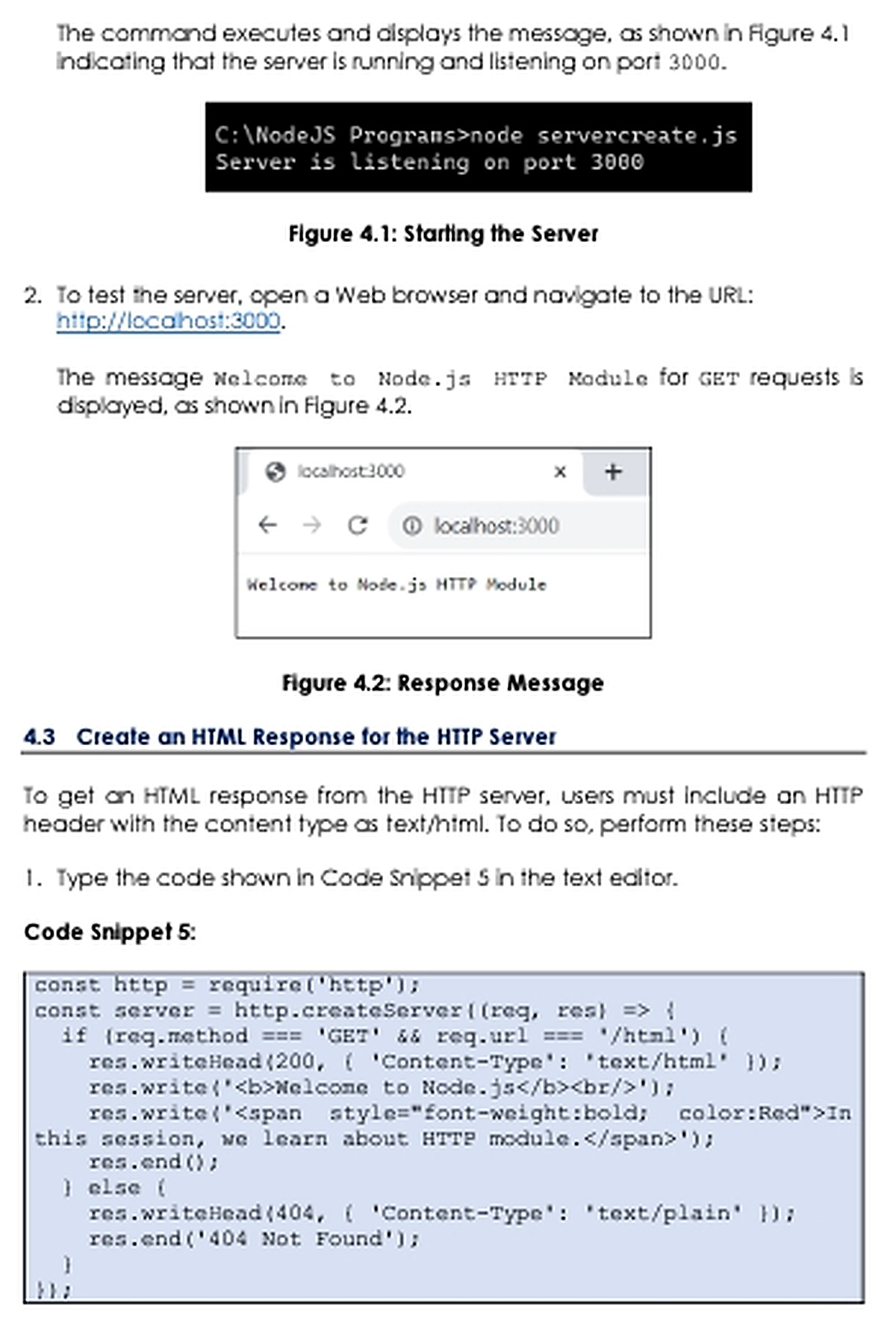
Chạy bằng node server.js, sau đó mở http://127.0.0.1:3000. Callback của createServer() nhận hai đối tượng: request và response. Luôn kết thúc response bằng response.end(); nếu không, client có thể tiếp tục chờ.
4. Routing theo method và URL
HTTP server thuần không có router. Ta phải kiểm tra request.method và URL, đồng thời đặt status code, content type phù hợp cho từng nhánh.
import { createServer } from 'node:http';

const server = createServer((request, response) => {
  const url = new URL(request.url ?? '/', 'http://localhost');

  if (request.method === 'GET' && url.pathname === '/') {
    response.writeHead(200, {
      'content-type': 'application/json; charset=utf-8',
    });
    response.end(JSON.stringify({ message: 'Node.js HTTP API' }));
    return;
  }

  if (request.method === 'GET' && url.pathname === '/hello') {
    const name = url.searchParams.get('name') || 'bạn';
    response.writeHead(200, {
      'content-type': 'text/plain; charset=utf-8',
    });
    response.end(`Xin chào ${name}`);
    return;
  }

  response.writeHead(404, {
    'content-type': 'application/json; charset=utf-8',
  });
  response.end(JSON.stringify({ error: 'Không tìm thấy tài nguyên' }));
});

server.listen(3000);
200 OK: xử lý thành công.201 Created: tạo tài nguyên thành công.400 Bad Request: request không hợp lệ.404 Not Found: không có route hoặc tài nguyên.500 Internal Server Error: lỗi ngoài dự kiến ở phía server.
5. Đọc request body có giới hạn
Request body là stream và có thể đến theo nhiều chunk. Không nên nối dữ liệu vô hạn vào bộ nhớ. Ví dụ sau giới hạn JSON body ở 1 MB, kiểm tra content type và xử lý JSON không hợp lệ.
async function readJson(request, limit = 1_000_000) {
  if (!request.headers['content-type']?.startsWith('application/json')) {
    throw new Error('UNSUPPORTED_MEDIA_TYPE');
  }

  const chunks = [];
  let size = 0;

  for await (const chunk of request) {
    size += chunk.length;
    if (size > limit) throw new Error('PAYLOAD_TOO_LARGE');
    chunks.push(chunk);
  }

  try {
    return JSON.parse(Buffer.concat(chunks).toString('utf8'));
  } catch {
    throw new Error('INVALID_JSON');
  }
}
Trong production, cần thêm timeout, giới hạn header/body, logging, HTTPS hoặc reverse proxy, validation dữ liệu và quy trình tắt server có kiểm soát.
6. Gửi HTTP request từ Node.js
http.get() phù hợp với GET đơn giản; http.request() cho phép kiểm soát method, header và body. Response phía client cũng là readable stream.
import { get } from 'node:https';

const request = get('https://jsonplaceholder.typicode.com/todos/1', (response) => {
  const chunks = [];

  response.on('data', (chunk) => chunks.push(chunk));
  response.on('end', () => {
    const body = Buffer.concat(chunks).toString('utf8');

    if (response.statusCode !== 200) {
      console.error('HTTP status:', response.statusCode);
      return;
    }

    console.log(JSON.parse(body));
  });
});

request.setTimeout(5_000, () => {
  request.destroy(new Error('Request timeout'));
});

request.on('error', (error) => {
  console.error(error.message);
});
Trong Node.js hiện đại, global fetch() thường thuận tiện hơn cho API JSON. Tuy nhiên, hiểu node:http vẫn quan trọng vì nhiều framework và thư viện mạng được xây dựng trên stream, event và socket của Node.js.
7. Phân tích và xây dựng URL đúng chuẩn
Node.js cung cấp WHATWG URL giống trình duyệt. API cũ url.parse() đã bị deprecate và không nên dùng với dữ liệu không tin cậy; hãy tạo đối tượng bằng new URL(input, base).
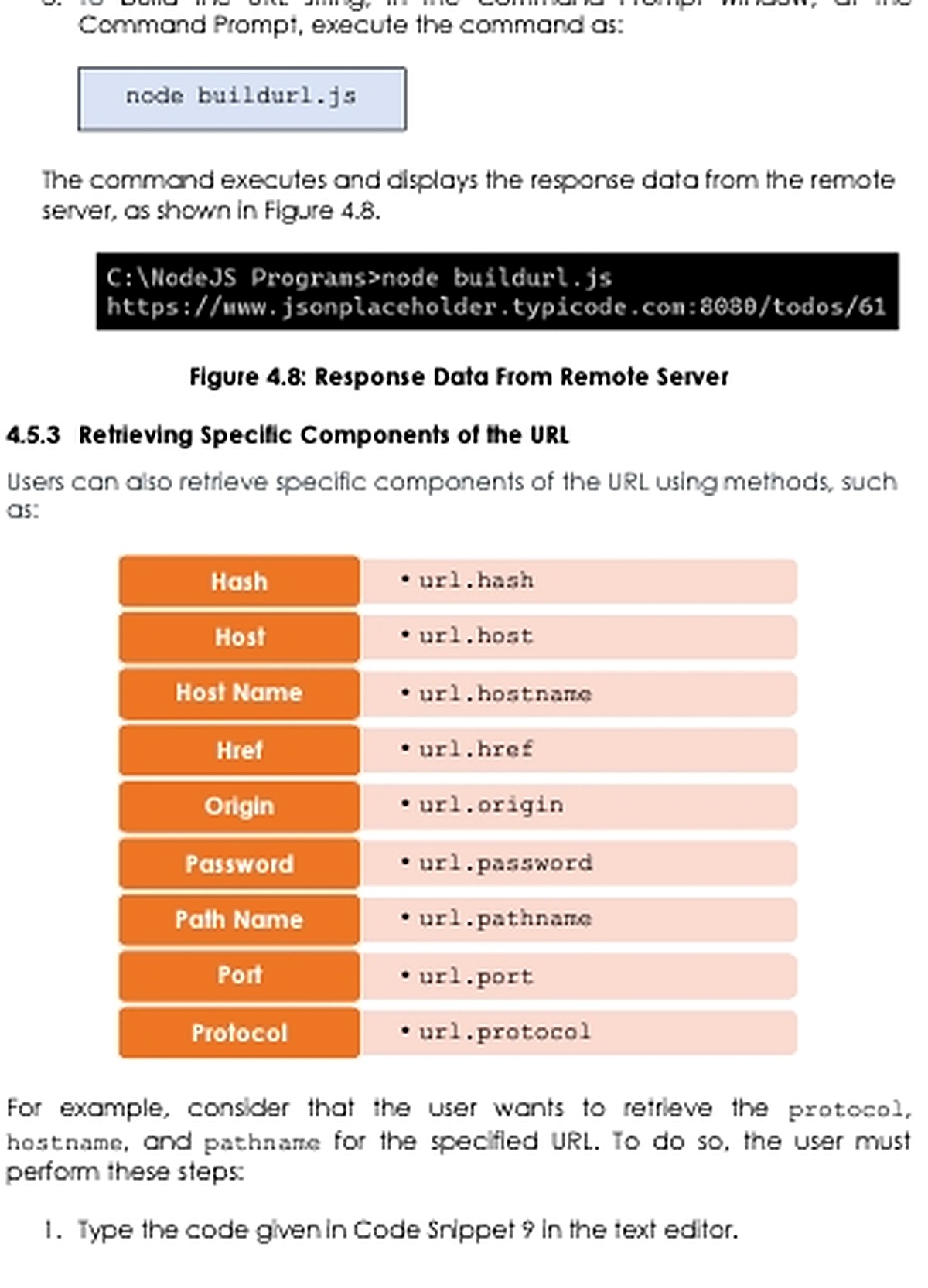
const url = new URL(
  '/todos/61?completed=false#details',
  'https://api.example.com:8443',
);

console.log(url.href);       // URL hoàn chỉnh
console.log(url.origin);     // https://api.example.com:8443
console.log(url.protocol);   // https:
console.log(url.hostname);   // api.example.com
console.log(url.port);       // 8443
console.log(url.pathname);   // /todos/61
console.log(url.searchParams.get('completed')); // false
console.log(url.hash);       // #details

url.searchParams.set('page', '2');
console.log(url.toString());
Ở HTTP server, request.url thường chỉ chứa path và query nên cần một base URL đáng tin cậy. Không nên ghép mù quáng header Host hoặc X-Forwarded-Host vào URL nếu proxy chưa được cấu hình và xác thực đúng.
8. EventEmitter và kiến trúc hướng sự kiện
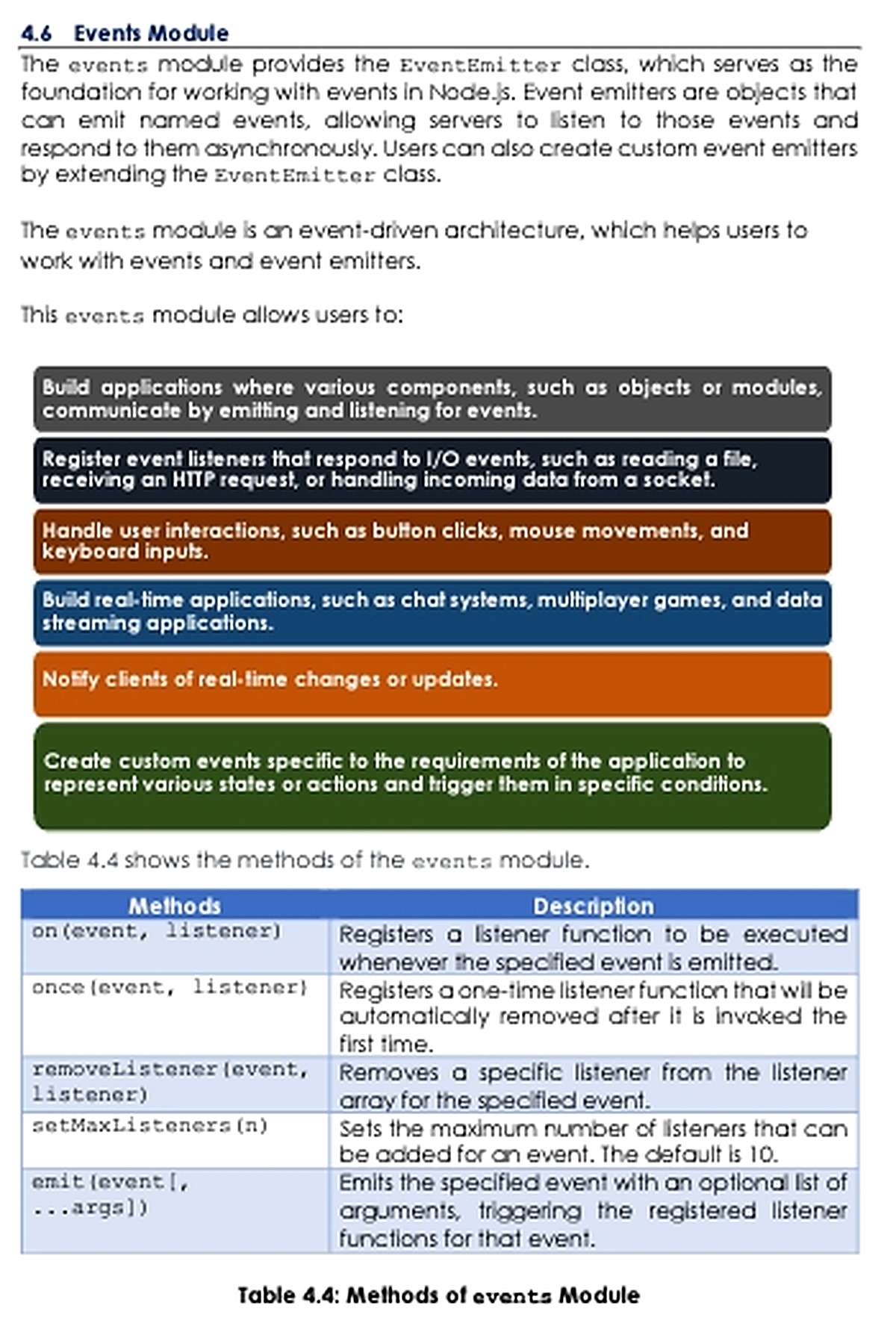
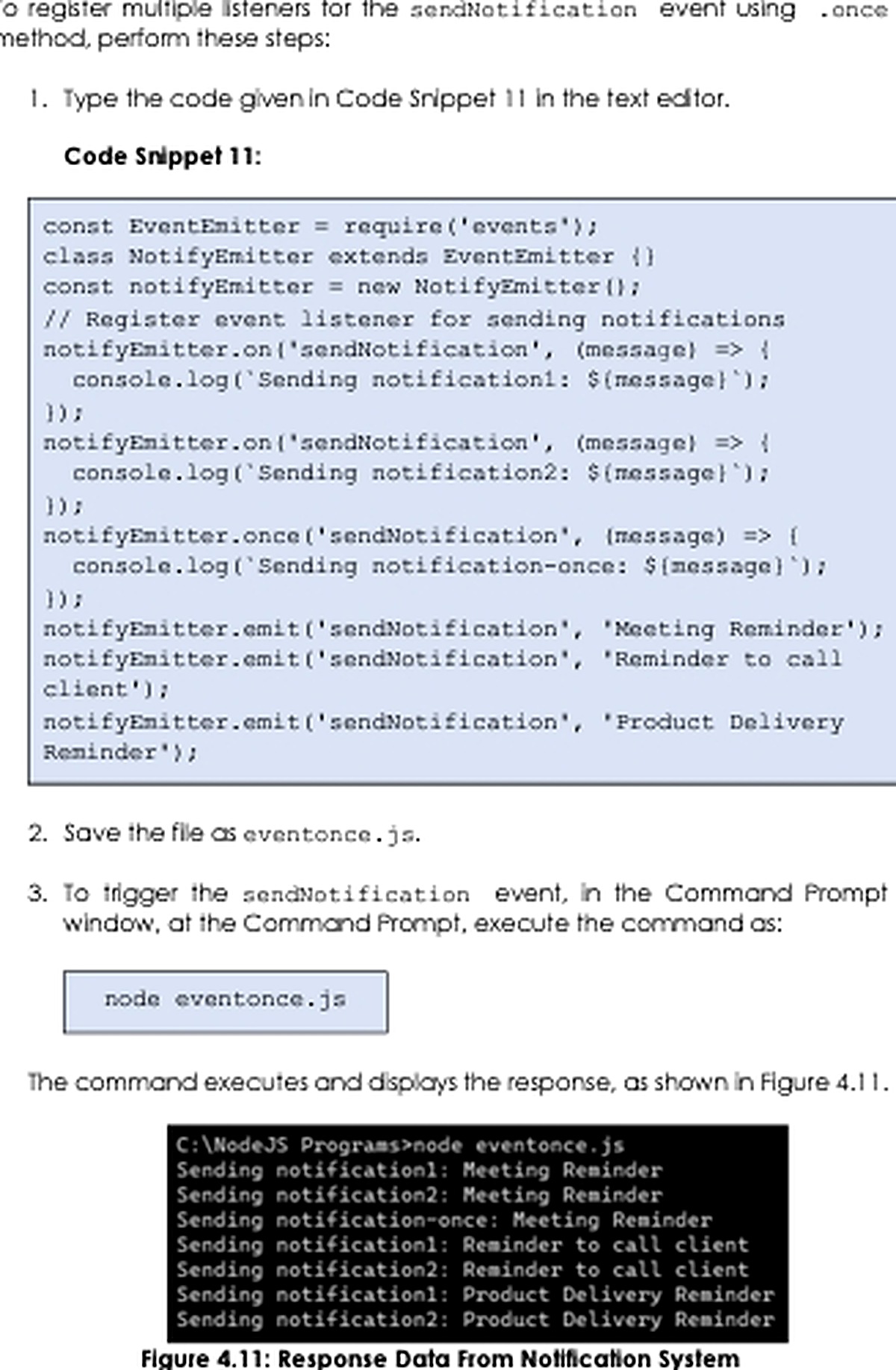
Nhiều API Node.js phát sự kiện: server phát request, stream phát data/end, socket phát connect. EventEmitter cho phép ứng dụng tự định nghĩa cơ chế tương tự.
import { EventEmitter } from 'node:events';

class NotificationBus extends EventEmitter {}

const bus = new NotificationBus();

function logNotification(notification) {
  console.log('Thông báo:', notification.message);
}

bus.on('notification', logNotification);
bus.once('ready', () => console.log('Bus đã sẵn sàng'));
bus.on('error', (error) => console.error('Bus error:', error.message));

bus.emit('ready');
bus.emit('ready'); // listener once không chạy lần hai
bus.emit('notification', { message: 'Lịch học đã thay đổi' });

bus.off('notification', logNotification);on(): listener chạy mỗi lần sự kiện phát ra.once(): listener tự gỡ sau lần chạy đầu tiên.emit(): gọi các listener theo thứ tự đăng ký.off()/removeListener(): gỡ đúng function đã đăng ký.- Sự kiện
errorcần listener; nếu không, process có thể bị kết thúc.
emit()gọi listener một cách đồng bộ. Nếu listener thực hiện tính toán lâu, nó vẫn chặn luồng JavaScript. “Hướng sự kiện” không đồng nghĩa mọi listener tự động chạy song song.
9. Checklist và bài tập
- Dùng tiền tố
node:cho built-in module. - Luôn đặt status code và
Content-Typechính xác. - Kết thúc response và xử lý sự kiện
error. - Giới hạn kích thước body; không buffer dữ liệu vô hạn.
- Dùng WHATWG
URLthay chourl.parse(). - Gỡ listener khi vòng đời component kết thúc để tránh rò rỉ bộ nhớ.
- Tạo server trả JSON tại
/api/statusvà trả 404 cho route khác. - Thêm route
/hello?name=LanbằngURLSearchParams. - Viết POST route nhận JSON body tối đa 100 KB.
- Tạo
EventEmitterphát các sự kiệnuser:joined,user:leftvàerror. - Giải thích vì sao listener chạy lâu có thể làm server phản hồi chậm.
Tóm lại: node:http, WHATWG URL và EventEmitter minh họa rõ cách Node.js kết hợp stream với event. Nắm chắc ba phần này giúp bạn hiểu HTTP server thuần, sử dụng framework hiệu quả và xử lý đúng các tình huống lỗi, tải lớn hoặc nhiều listener.